Hafilat Fine Check: Pay Abu Dhabi Bus Fines Online
Missed a tap or received an unexpected fine? Hafilat fine check using your Emirates ID, Hafilat card number, or fine barcode through the Hafilat portal, TAMM app, MOI website, customer service, or bus station kiosks. You can also pay fines online, dispute incorrect violations, and check your card status in minutes.
A standard Abu Dhabi bus fare starts from AED 2, while most Hafilat fines begin at AED 200 — making it important to resolve any violation as early as possible.
What Is a Hafilat Fine?
A Hafilat fine is a penalty issued by the Abu Dhabi Department of Transport (AD Mobility) when you violate a rule while using Abu Dhabi’s public bus network. The word “Hafilat” (حافلة) simply means buses in Arabic.
Here is the number that makes people take these fines seriously: a standard Abu Dhabi bus fare costs AED 2.00. The minimum Hafilat violation fine is AED 200 — a 100× difference. That gap is intentional. The Abu Dhabi government set the fine high as a deliberate deterrent to keep the bus network orderly for everyone.
You can receive a Hafilat fine for:
Fines must be settled within 30 days of issuance. After that, late penalties apply and your card can be suspended.
Complete Hafilat Violations & Fine Amounts Table 2026
Violation | Description | Fine (AED) |
|---|---|---|
No card / fare evasion | Boarding with no Hafilat card at all | 200 |
Failure to tap in | Boarding without swiping the reader | 200 |
Failure to tap out | Exiting without swiping the reader | 200 |
Insufficient balance | Card present but balance below minimum for the journey | 200 |
Misuse of personalized card | Sharing your Emirates ID-linked card or using another person’s | 200–500 |
Smoking on the bus | Smoking in any form inside the bus | 200 |
Eating or drinking | Consuming food or drinks onboard | 100 |
Chewing gum | Chewing gum on the bus or in stations | 100 |
Damaging bus property | Vandalism, damage to seats, windows, or equipment | Up to 500 |
Obstruction of bus operations | Blocking doors, interfering with driver or staff | 200–500 |
Important note on the tap-out rule: The entry tap is obvious — most people know it. The exit tap is where fines quietly stack up. If you board, tap in, then forget to tap out, the system charges you the maximum possible fare for that route AND flags it as a violation. Double penalty. Always tap both ways.
How to Check Your Hafilat Fine 2026
There are 6 methods to check your Hafilat balance and fine — 4 online and 2 in person. You do not need a registered account for all of them; the anonymous portal method only requires your fine barcode from the receipt.
Check Hafilat Fine via Official Website
This is the most complete method. Once you log in, you see your full account — balance, trip history, and any outstanding fines — all on one screen.
Step 1: Go to the Official Hafilat Portal
Open your browser and go to hafilat.darb.ae. This is the only official portal managed by AD Mobility. Make sure the URL shows HTTPS and the correct domain before entering your credentials.
Step 2: Log Into Your Account
Enter your registered email address and password. If you have forgotten your password, click “Forgot Password” and follow the reset steps sent to your registered email. If you have not registered yet, click “Register Here” and complete the pre-registration form with your Emirates ID.
Step 3: Navigate to “Pay Fine” or Account Summary
After logging in, your account dashboard appears. Look for the “Pay Fine” button or check the Card Details section. Any outstanding fines appear here with the violation date, type, and amount.
Step 4: Review Your Fine Details
You will see the violation type, date, route, and the fine amount in AED. Screenshot this page or note the fine reference number — you will need it for payment or dispute.
Why this matters: The logged-in portal shows your full violation history, not just the most recent one. If you have multiple fines from a blocked card period, they all appear here in one place.
Check Fine Without an Account
If you received a physical fine receipt from a bus inspector but haven’t registered on the Hafilat portal, you can still check and pay using just the barcode printed on the receipt.
Step 1: Go to the Anonymous Fine Portal
Navigate to hafilat.darb.ae/AnonymousMedia/Fine.aspx directly in your browser.
Step 2: Enter the Fine Barcode
Find the barcode number printed at the bottom of your fine receipt. Type it into the barcode field on screen.
Step 3: Submit and View Your Fine
Click Submit. Your fine details appear — violation type, date, and the outstanding amount.
Note: If you received a fine receipt without a barcode (this happens when a card is blocked by the system), the anonymous portal will not work. You must visit a bus station machine or bus station counter to pay. More on this in the blocked card section below.
Check Hafilat Fine via TAMM App & Website
TAMM (tamm.abudhabi) is Abu Dhabi’s government super-app — it integrates services from dozens of departments including AD Mobility. You can check Hafilat fines here using your Emirates ID.
Step 1: Open TAMM
Go to tamm.abudhabi on a browser, or download the TAMM app (available on Android and iOS). Log in with your UAE Pass credentials. UAE Pass is the official digital identity for UAE residents — if you don’t have it yet, download the UAE Pass app and register first.
Step 2: Go to Drive & Transport
Once logged in, navigate to the “Drive & Transport” section. Look for the transport fines or violation inquiry service.
Step 3: Enter Your Emirates ID
Enter your Emirates ID number to pull up any outstanding fines linked to your identity. This covers both Hafilat fines and other Abu Dhabi transport violations.
Step 4: View and Pay
Your outstanding fines appear with violation details. You can pay directly through TAMM using a debit or credit card.
Tip: TAMM is especially useful if you are not sure whether your fine is classified as a Hafilat/bus fine or a broader transport violation — it shows everything in one place.
Check Fine via MOI Website & App
The Ministry of Interior (MOI) website and app aggregate traffic and transport fines from across all UAE emirates, including Abu Dhabi bus fines.
Via the MOI Website
Via the MOI UAE App
Note: The MOI portal shows transport violations (bus fines) under traffic fines. They appear together — your Hafilat fine will be listed with the violation type clearly labelled.
Check by Phone — Call 85555
The quickest no-app, no-website option. Call 85555 — this is Hafilat’s official toll-free customer service number, available across the UAE.
When the agent answers:
This method is ideal if you prefer speaking to a person, or if your online access is limited. The line is generally active during business hours (Saturday–Thursday, 7AM–8PM).
Check at a Sahl Kiosk or Customer Happiness Centre
Sahl Kiosk Machines
Sahl kiosks are self-service government machines found in malls, government buildings, and busy areas across Abu Dhabi.
Customer Happiness Centres
Customer Happiness Centres are staffed counters at major Abu Dhabi bus stations. Bring your Hafilat card and Emirates ID. Staff can check your fine, take payment in cash or card, and issue a confirmation receipt on the spot.
Key locations include Abu Dhabi Central Bus Station, Musaffah Bus Station, and major interchange terminals. Hours are generally 7AM–10PM daily.
Best Methods to Check Your Hafilat Fine
Method | Requires Account? | Speed |
|---|---|---|
hafilat.darb.ae (logged in) | Yes — email/password | Instant |
hafilat.darb.ae (anonymous) | No — barcode only | Instant |
TAMM App / Website | Yes — UAE Pass | Instant |
MOI Website / App | Yes — UAE Pass | Instant |
Phone — 85555 | No | ~2–3 min |
Sahl Kiosk | No — Emirates ID card | ~1 min |
Customer Happiness Centre | No | ~2–5 min |
So, the Hafilat Darbi Portal (logged-in) is the best method to check Hafilat fines because it shows your full fine history, violation type, exact date, and lets you pay in the same session — all in under two minutes.
How to Pay Your Hafilat Fine Online 2026
Once you have confirmed your fine, payment takes less than two minutes on the official portal. Do not delay — the 30-day clock starts from the date the fine was issued, not the date you found out about it.
Step 1: Log Into hafilat.darb.ae
Go to hafilat.darb.ae/Identification.aspx and log in with your registered email and password.
Step 2: Click “Pay Fine”
Locate the “Pay Fine” button in your account dashboard. If you are using the anonymous portal, go to hafilat.darb.ae/AnonymousMedia/Fine.aspx and enter your fine barcode from the receipt.
Step 3: Enter the Fine Barcode
The system asks for the fine barcode number. Find it printed at the bottom of your fine receipt. Type it exactly as shown.
Step 4: Review and Confirm
Your fine details appear — violation type, date, and AED amount. Confirm this matches your receipt before proceeding.
Step 5: Enter Payment Details and Pay
Enter your debit or credit card details. The portal accepts major cards. Complete the transaction and save or screenshot the payment confirmation page.
Tip: After payment, check your Hafilat account the next day to confirm your card status has changed from “blocked” or “flagged” back to “active.”
You can also pay via:
- TAMM — tamm.abudhabi (Drive & Transport section)
- Darbi website — darbi.itc.gov.ae (enter your fine reference number)
- Bus station kiosks or counters (cash or card)
- Customer Happiness Centres (cash or card, plus confirmation receipt)
My Card Is Blocked — What Does That Mean and How Do I Unblock It?
This is a situation many daily commuters don’t expect. If you receive a fine and don’t pay it within the deadline — or if your card is directly flagged by the system for a serious violation — the system blocks your card automatically.
A blocked Hafilat card means:
How to unblock your card:
What Happens If You Don’t Pay Your Hafilat Fine?
Ignoring a Hafilat fine does not make it disappear. Here is what happens step by step:
I really suggest you pay any Hafilat fine as soon as you discover it — even if you think it was issued in error, pay first and then dispute. Disputing does not pause the clock.
How to Dispute a Hafilat Fine via TAMM 2026
Think you were fined incorrectly? You have 60 days from the date of issuance to file a grievance through the official TAMM platform. After 60 days, the dispute window closes.
Step 1: Go to TAMM
Open tamm.abudhabi in your browser or open the TAMM app. Log in with your UAE Pass credentials.
Step 2: Search for “Request a Grievance for Transport Violations”
Use the search bar on TAMM and type “Request a Grievance for Transport Violations.” Click on the service when it appears.
Step 3: Enter Your Details
Fill in your personal details and the specifics of the violation — including the fine reference number, violation date, and the bus route if known.
Step 4: Select a Callback Time
The system offers you a callback window. Choose a time that works for you. An AD Mobility officer will contact you to discuss the case.
Step 5: State Your Reason and Attach Evidence
Clearly state why you believe the fine was issued in error. Attach any available evidence — a screenshot from your Hafilat account showing a successful tap, a photo of a malfunctioning card reader, or any relevant document. Keep the explanation factual and specific.
Step 6: Submit and Wait for the Decision
After submission, AD Mobility reviews your case. You receive notification by SMS or email. If your claim has merit, the fine is reversed and your card unblocked automatically.
Note: Filing a dispute does not automatically pause the 30-day payment deadline. I really suggest you pay the fine first and then dispute. If the dispute is successful, AD Mobility will refund the paid amount.
Tips to Avoid Hafilat Fines
Always Tap In AND Out
Every journey requires two taps — once at the door when boarding, once when exiting. This is the single most common source of fines. Make it a reflex.
Keep Your Balance Above AED 5
The minimum required balance for boarding varies by route, but keeping your card above AED 5 gives you a safe buffer. Set up automatic top-up in the Darb Mobile App or Payit Wallet so your card never drops below a threshold you set.
Register Your Card to Your Emirates ID
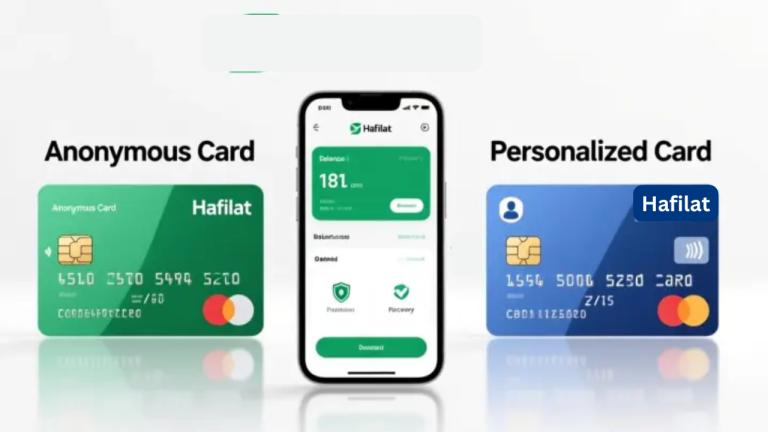
An anonymous card means a lost card equals lost balance — permanently. A personalized card linked to your Emirates ID means your balance is protected. Contact a Customer Happiness Centre or register online through hafilat.darb.ae.
Check Your Fine Status Monthly
Take 60 seconds every month to log in and check. Fines can appear without an SMS notification in some cases, especially if your registered mobile is outdated in the system.
Update Your Registered Mobile Number
Fine notifications are sent by SMS. If your mobile number on the Hafilat portal is old or wrong, you may miss the alert entirely. Log in, go to account settings, and update it.
No Food, No Gum, No Smoking Onboard
Conduct fines (eating, smoking, chewing gum) are AED 100–200 per incident. They are issued on the spot by bus inspectors. Not worth it.
Never Share Your Personalized Card
If a transport inspector catches someone using your Emirates ID-linked card, the fine can reach AED 500. The card is registered to you — you are responsible for its use.
Check Before Reporting a Malfunctioning Reader
If a card reader at the bus door seems to malfunction, tap it once more and listen for the confirmation sound. If it genuinely does not respond, report it immediately to the bus driver or inspector — before exiting, not after. This creates a record that protects you if a fine is later issued.
Pay Fines Before Renewing Any Government Service
Hafilat fines can affect your ability to renew vehicle registration. Settle any outstanding transport violations before visiting any Abu Dhabi government service counter.
Keep Your Fine Receipt Until Payment Confirms
After paying online, do not discard the physical receipt until your Hafilat account confirms the fine is cleared. If something goes wrong, the barcode on the receipt is your only proof.
FAQs — Hafilat Fine Check
Final Thoughts
A Hafilat fine in Abu Dhabi is fast to get and equally fast to resolve — if you catch it early. The official Hafilat Darbi Portal at hafilat.darb.ae is the best place to start. Log in, check your account, and pay in the same session. If you only have a receipt and no account, the anonymous portal handles it with just a barcode.
The 30-day payment window moves quickly. Don’t let a AED 200 fine grow into a blocked card, a flagged account, and a delayed vehicle registration renewal. Check now, pay today, and tap in both directions on every journey.If you think the fine was a mistake, dispute it through TAMM — but pay first and recover the refund if you win. The 60-day dispute window gives you enough time to do both properly.